


Applicability
This guide applies to: Gate App
Preparation required: Real-name verification completed, sufficient cryptocurrency balance in your account
Estimated time: 3 minutes
Objective
This article will guide you through the process of sending a Password Red Packet using the Gate App.
Steps
Step 1: Access the Red Packet Feature Page
-
Open and log in to the Gate App
-
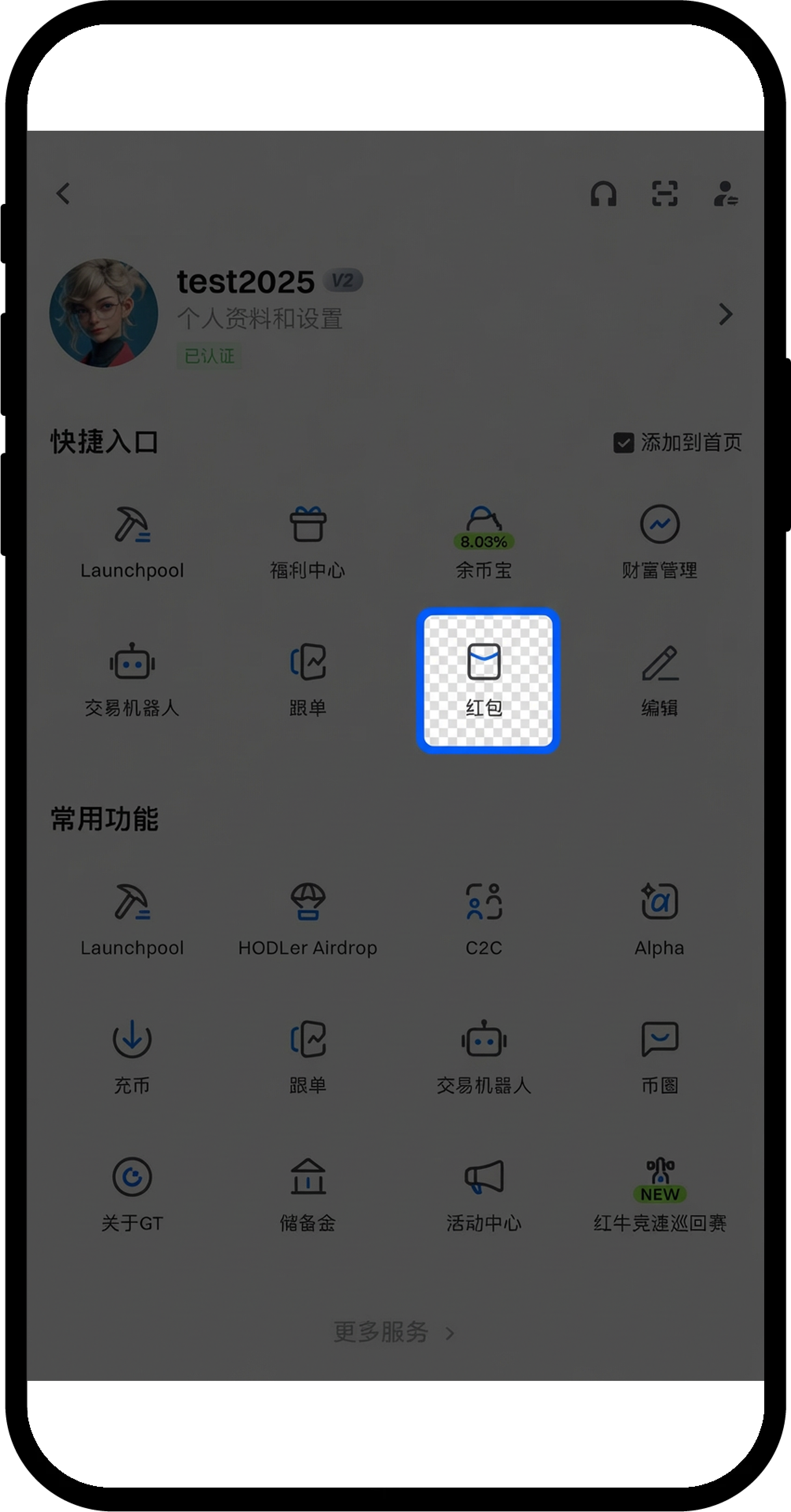
Tap the avatar icon in the top left corner
-
In the pop-up menu, select Red Packet
Step 2: Choose to Send a Password Red Packet
-
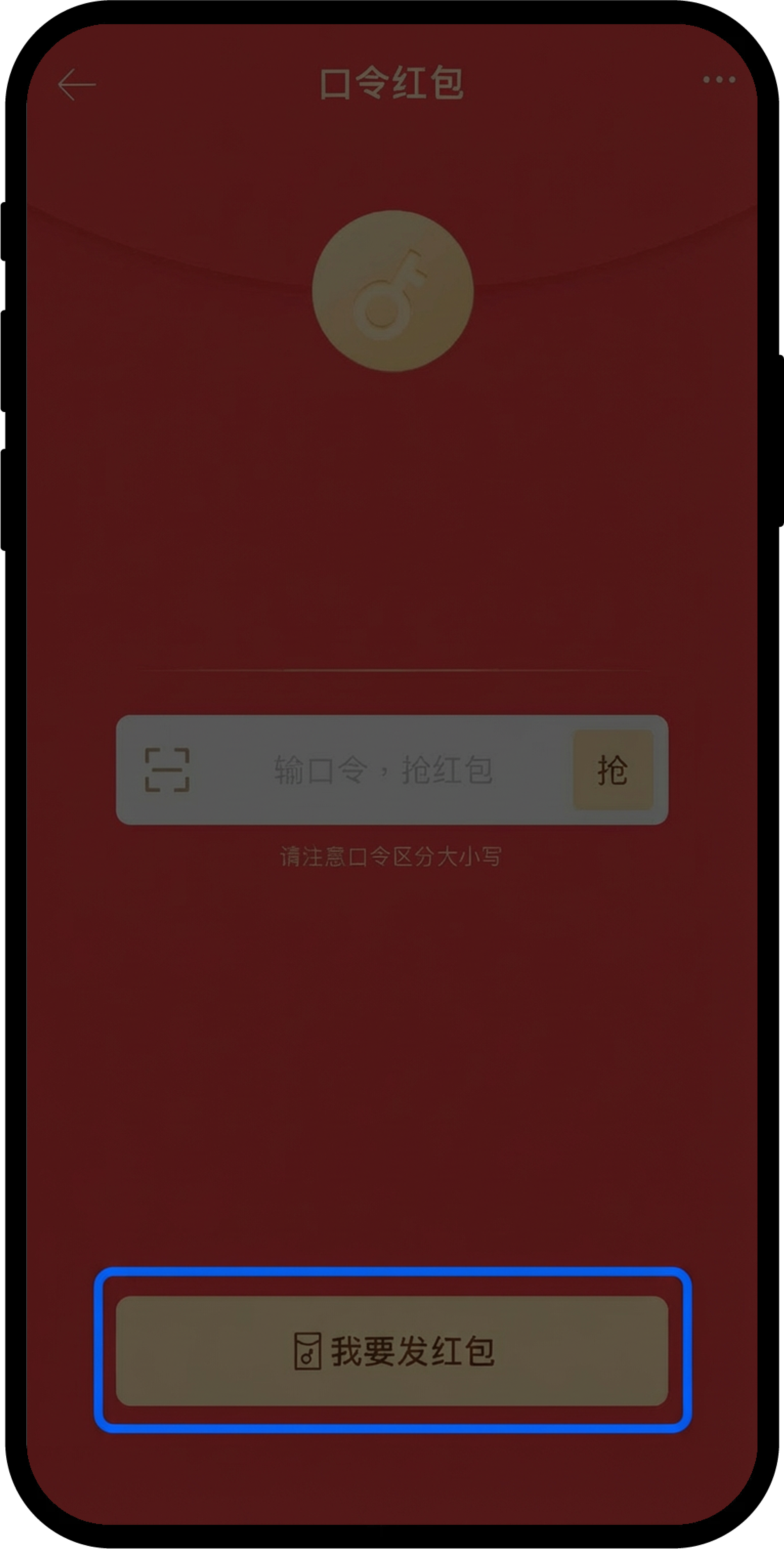
After entering the Red Packet page, tap the Password Red Packet tab
-
Tap the Send Red Packet button at the bottom of the page
Step 3: Set Up Red Packet Details
-
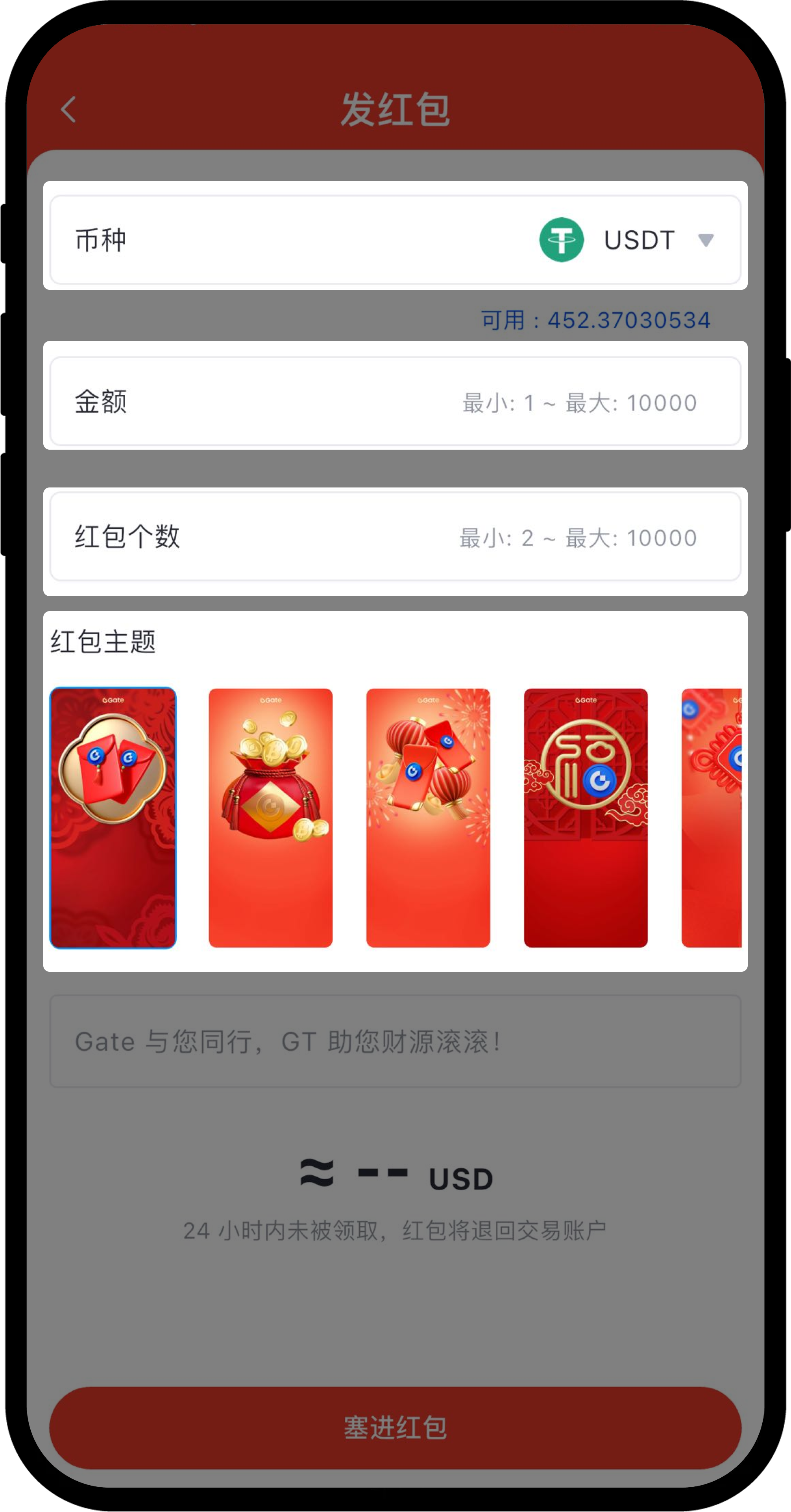
On the Send Red Packet screen, configure the following information in order:
-
Choose the token (select from available balances in your account)
-
Set the total amount (range: 1-10,000 USDT)
-
Set the number of red packets (range: 2-10,000)
-
Choose a red packet theme (select according to your preference)
-
-
Optionally, you can edit the blessing message for the red packet
-
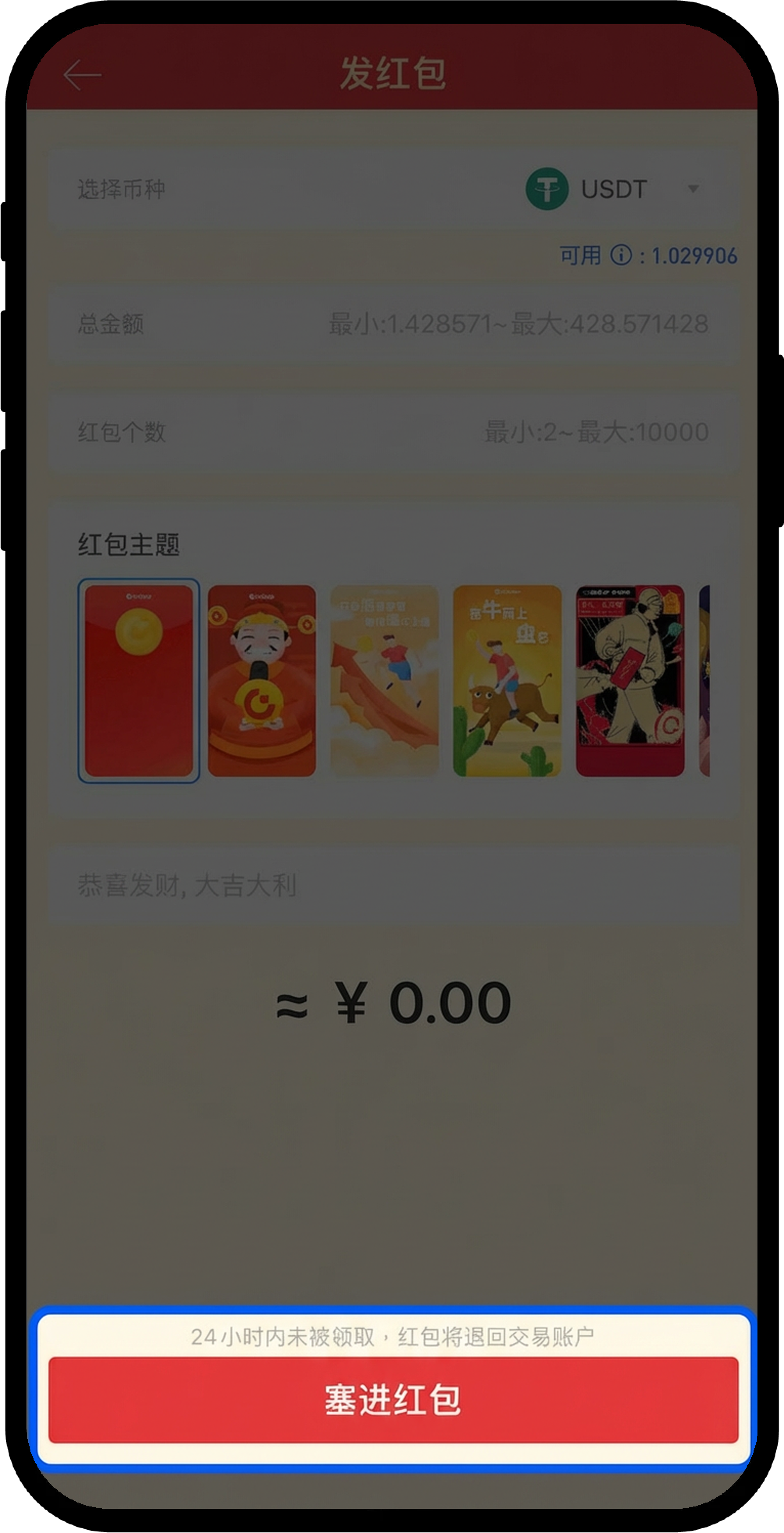
Once all settings are complete, tap Put Into Red Packet
Step 4: Configure Password and Claim Rules
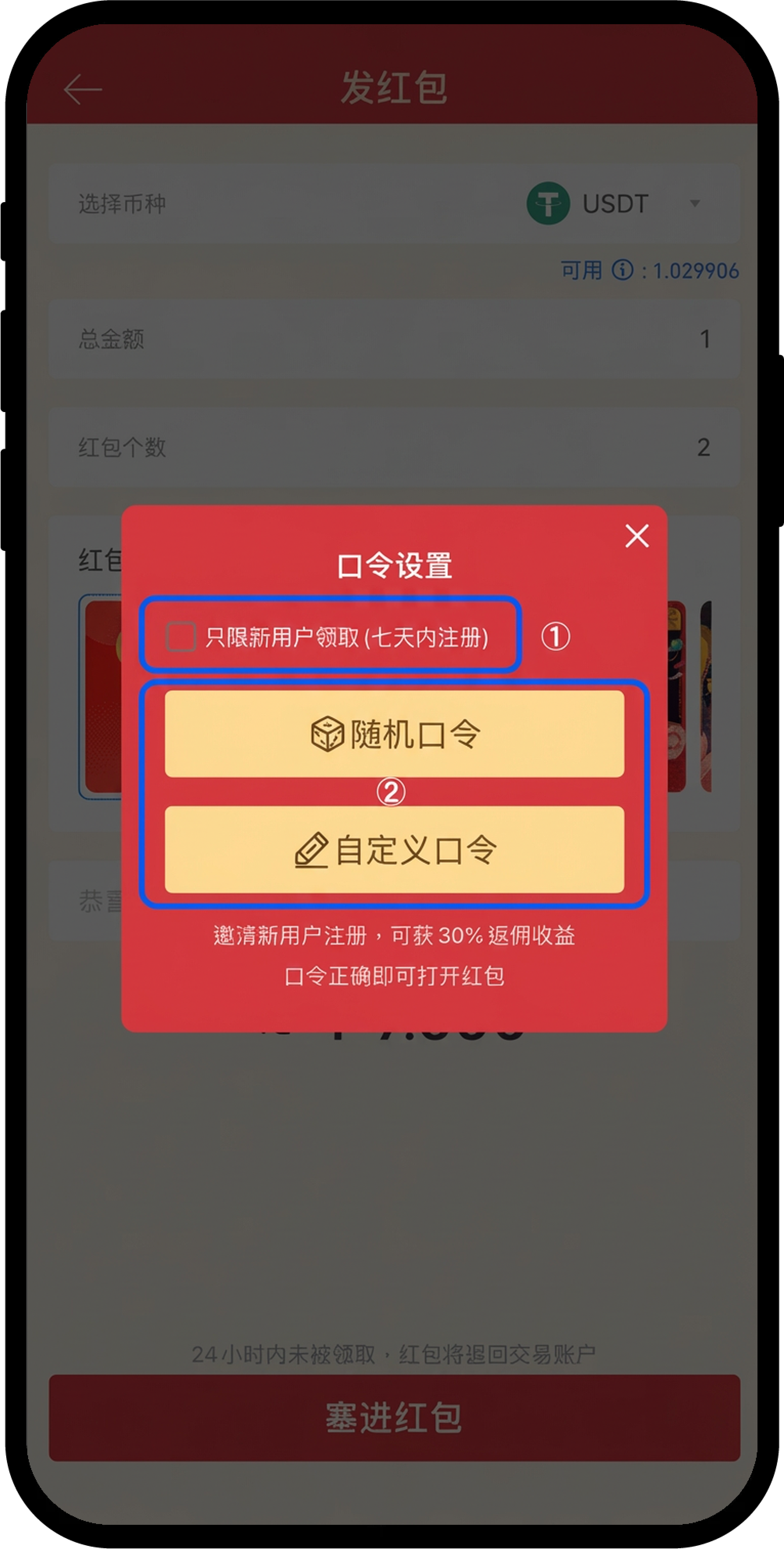
- On the password setup page, choose whether to set Only New Users Can Claim
-
Set the password method:
-
Select Random Password: The system will automatically generate a password
-
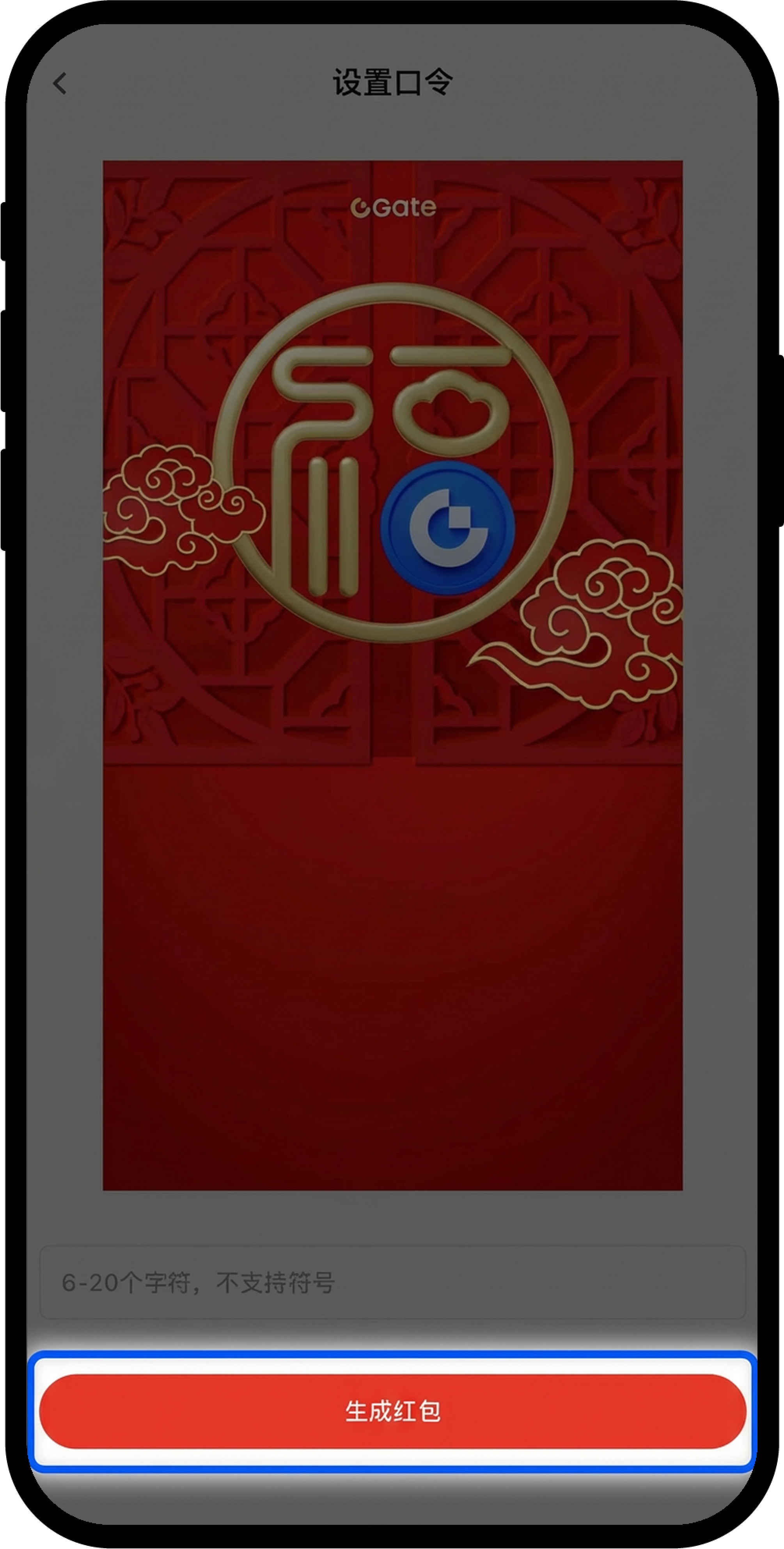
Select Custom Password: Enter a password with 6–20 characters (symbols are not supported)
-
-
Enter your fund password to confirm
-
Tap Generate Red Packet to complete the process
Notes
-
Real-name verification must be completed before sending a Password Red Packet
-
Any unclaimed red packet funds will be automatically returned to your account after 24 hours
-
The daily maximum total amount for sending Password Red Packets is 10,000 USDT
-
Custom passwords must be 6–20 characters long and cannot include special symbols
Frequently Asked Questions
Q1: Why can’t I send a Password Red Packet?
A: Please ensure you have completed real-name verification and have sufficient token balance in your account. If you still can’t send, it may be because you’ve reached the daily sending limit (10,000 USDT).
Q2: Can I cancel a red packet after sending it?
A: Once a red packet is sent, it cannot be canceled. However, any unclaimed funds will be automatically returned to your account after 24 hours.
Q3: Which tokens can be used for Password Red Packets?
A: You can use any token with an available balance in your account to send a Password Red Packet.
Disclaimer
The content provided herein is for reference and educational purposes only and does not constitute any financial, investment, trading, or legal advice, nor does it constitute an offer or solicitation to buy or sell any digital assets. Gate makes no express or implied representations or warranties regarding the accuracy, completeness, or timeliness of the information contained herein. Product features, interfaces, rules, and fee structures may be updated or adjusted at any time. Please refer to the latest announcements and the actual information displayed on the Gate platform for the most accurate details.
Digital asset investments involve significant risk, and prices may fluctuate substantially. You may lose the entire amount of your investment. Please make decisions cautiously based on your own financial situation and risk tolerance after fully understanding the associated risks. If necessary, you are advised to consult an independent professional financial or legal advisor.
For more information about potential risks, please refer to Gate's Risk Disclosure and User Agreement.
