


Applicable Scope
This guide applies to Gate Web and App
Before you start: Ensure you have an active or completed fiat trading order
Estimated time: 2 mins
Objective
This guide will walk you through how to contact the buyer or seller during a fiat trading transaction on Gate Web and App.
Steps
Step 1: Access Your Fiat Orders (Web)
- Navigate to the Fiat Trading section.
- Click on [Order] in the menu.
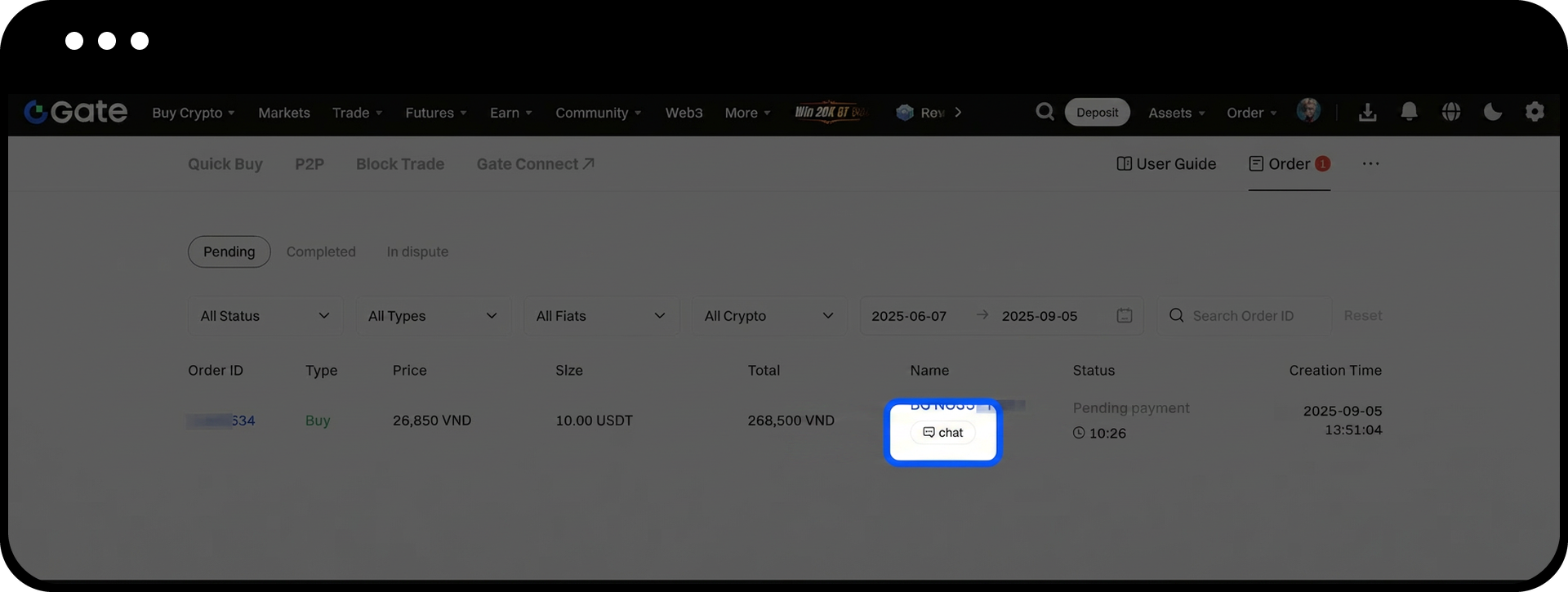
- Select either [Pending] or [Completed] to view your orders based on their status.
Step 2: Initiate Chat with Counterparty (Web)
- Locate the order for which you want to contact the buyer or seller.
- Click the [Chat] button next to the order.
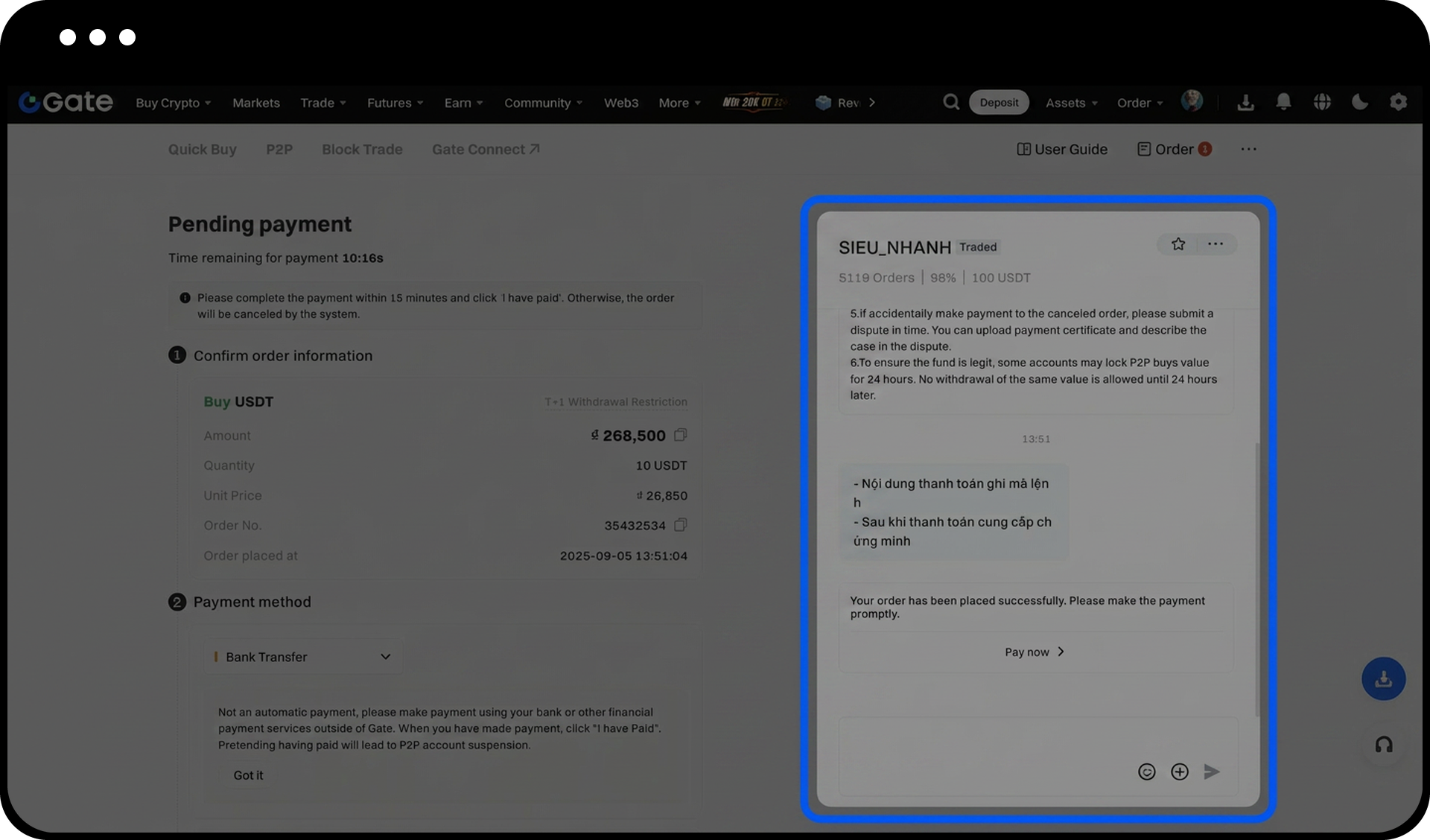
- A chat box will appear on the left side of the screen where you can start your conversation.
Step 3: Access Your Fiat Orders (App)
- Open the Gate App and go to the Fiat Trading page.
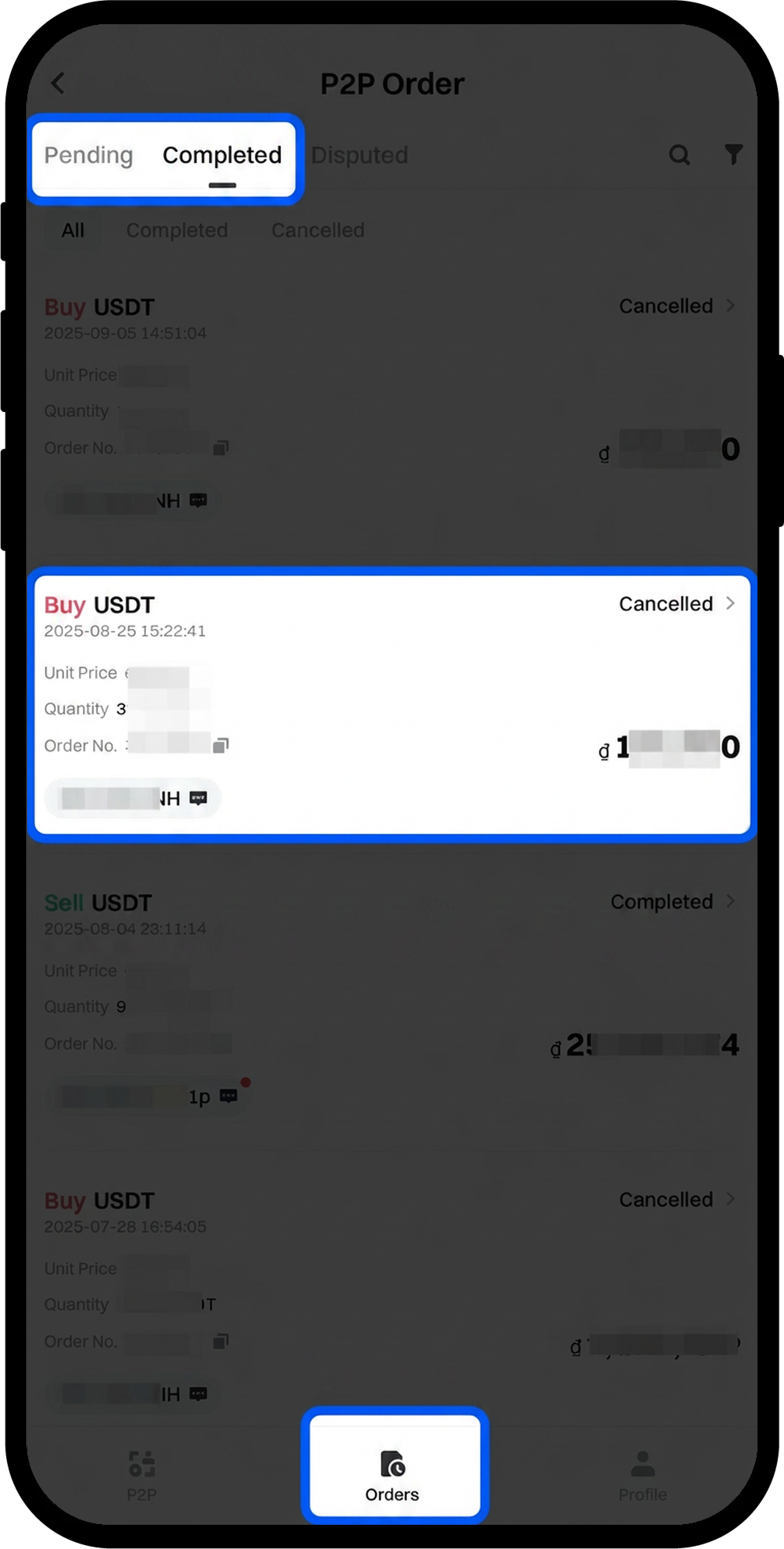
- Tap [Orders] at the bottom of the screen.
- Select either [Pending] or [Completed] tabs to view your orders.
Step 4: Initiate Chat with Counterparty (App)
- Find the relevant order and tap on it to enter the order details page.
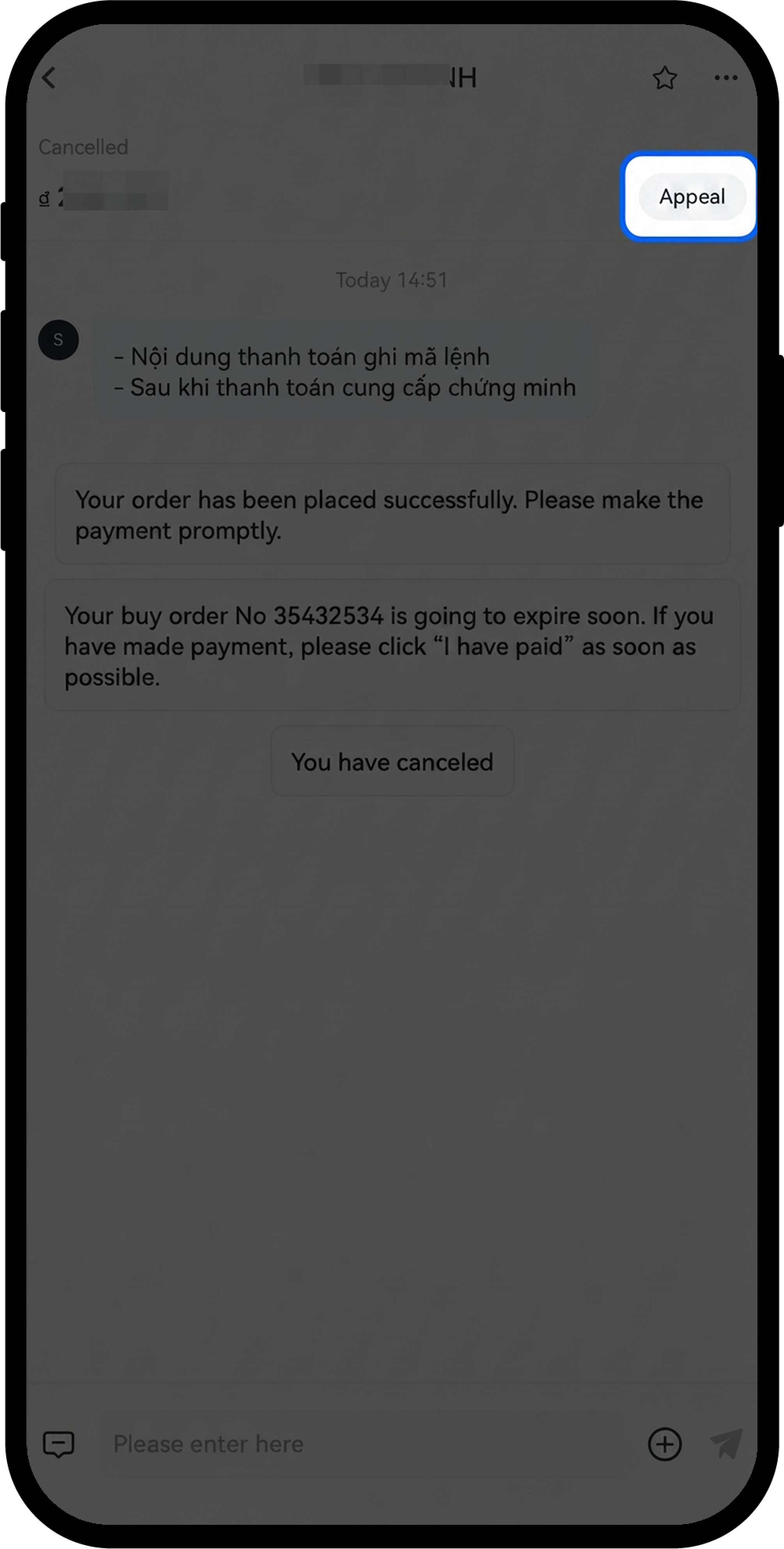
- Tap the [Chat] icon located on the right side of the screen.
- You can now communicate with your counterparty through the chat interface.
Notes
- The chat function is available for both pending and completed orders.
- The process for contacting a buyer as a seller is identical to contacting a seller as a buyer.
- All chat conversations are recorded for dispute resolution purposes.
- Always communicate payment details and transaction information through the official Gate chat system to ensure your transaction is protected.
FAQ
Q1: Can I contact the buyer/seller before the order is matched?
A: No, the chat function only becomes available after an order has been successfully matched. You can only communicate with your counterparty for active or completed orders.
Q2: What should I do if the buyer/seller is not responding to my messages?
A: If your counterparty is unresponsive, you can wait for the order timer to expire or contact Gate Customer Support for assistance. For pending orders, there are also appeal options available if issues arise.
Q3: Is the chat history saved?
A: Yes, all chat conversations between buyers and sellers are recorded and stored by Gate. This chat history can be accessed for reference and may be used for dispute resolution if needed.
Disclaimer
The content provided herein is for reference and educational purposes only and does not constitute any financial, investment, trading, or legal advice, nor does it constitute an offer or solicitation to buy or sell any digital assets. Gate makes no express or implied representations or warranties regarding the accuracy, completeness, or timeliness of the information contained herein. Product features, interfaces, rules, and fee structures may be updated or adjusted at any time. Please refer to the latest announcements and the actual information displayed on the Gate platform for the most accurate details.
Digital asset investments involve significant risk, and prices may fluctuate substantially. You may lose the entire amount of your investment. Please make decisions cautiously based on your own financial situation and risk tolerance after fully understanding the associated risks. If necessary, you are advised to consult an independent professional financial or legal advisor.
For more information about potential risks, please refer to Gate's Risk Disclosure and User Agreement.
